Accepting Proof Requests with Credential Sets
Overview
OpenID4VP 1.0 enables verifiers to make requests using "credential sets", a feature that allows complex requests through specifying different combinations of credential and claim queries.
When receiving an OpenID4VP 1.0 request that contains credential sets, the Desk automatically parses the request and presents each valid response option, indicating any missing credentials or claims.
Prerequisites
- Credentials held in your wallet that satisfy one or more options in each set (optional — the UI will indicate if any are missing)
Steps
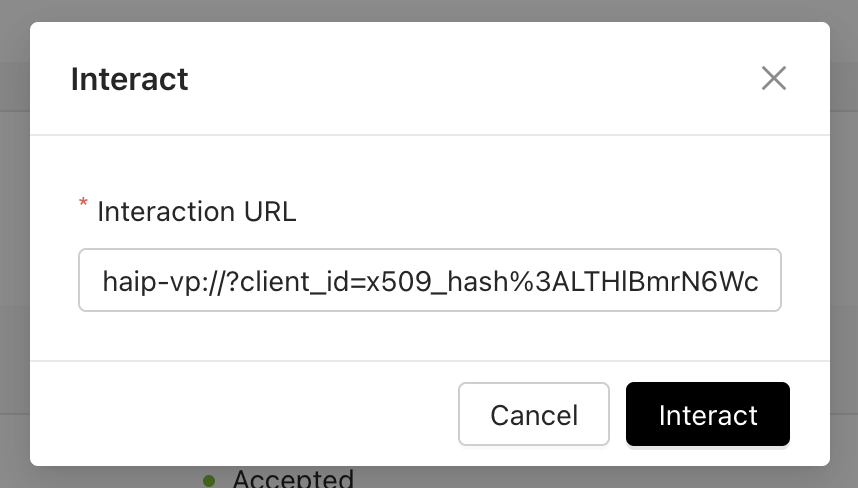
Input the interaction URL
- Copy the request URL or URI provided by the verifier
- Click Wallet in the left sidebar
- Click + Interact
- Paste the request
Review the request
- The UI displays each credential set the verifier will accept as a response
- For each set, choose the option you want to respond with — if multiple options are available you must select exactly one, otherwise the single option is used automatically
- If a set requires a credential or claim not present in your wallet, the UI flags it and prevents submission of that set
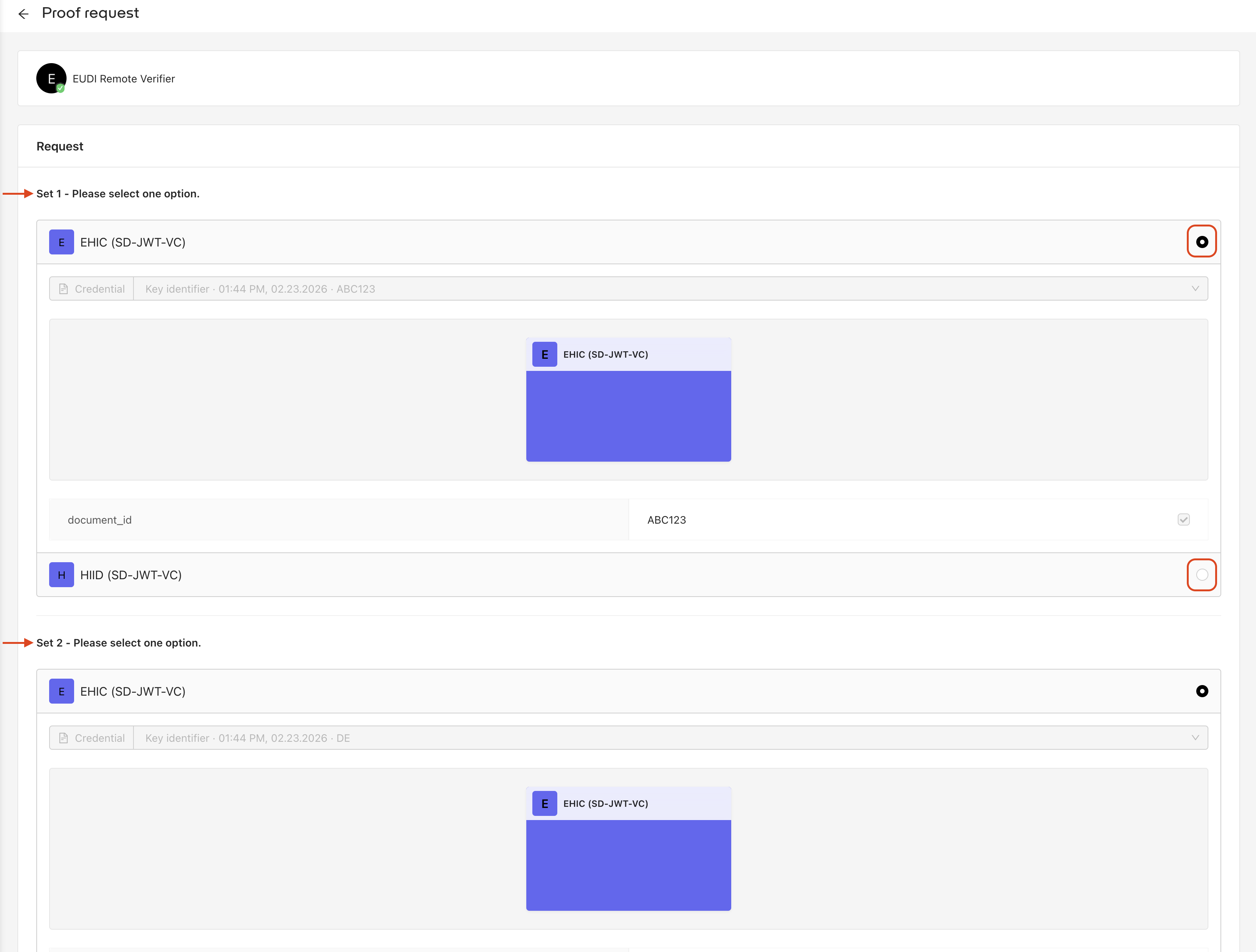
- For any optional claims within your chosen option, use the checkboxes to include or exclude them as needed
- Click Accept